Sensors
The Display has several sensors that can be interfaced with your software application.
IMU – Accelerometer
Section titled “IMU – Accelerometer”The LSM9DS1 IMU is embedded on the Display’s PCB. It is a 9DOF chip and comes with the following:
- 3D digital linear acceleration sensors
- 3D digital angular rate sensors
- 3D digital magnetometer sensors
It uses the I2C-1 serial bus interface to communicate with the Display processor. In Qt application, the RTIMULib is used to communicate with the device. The library requires a settings file to run properly. This file includes general IMU settings and those related to the IMU chip (LSM9DS1) in use.
The library contains a calibration document with calibration values, which can be used to remove IMU soft and hard iron disturbances.
The C++ implementation of RTIMULib in the Reference App is as follows:
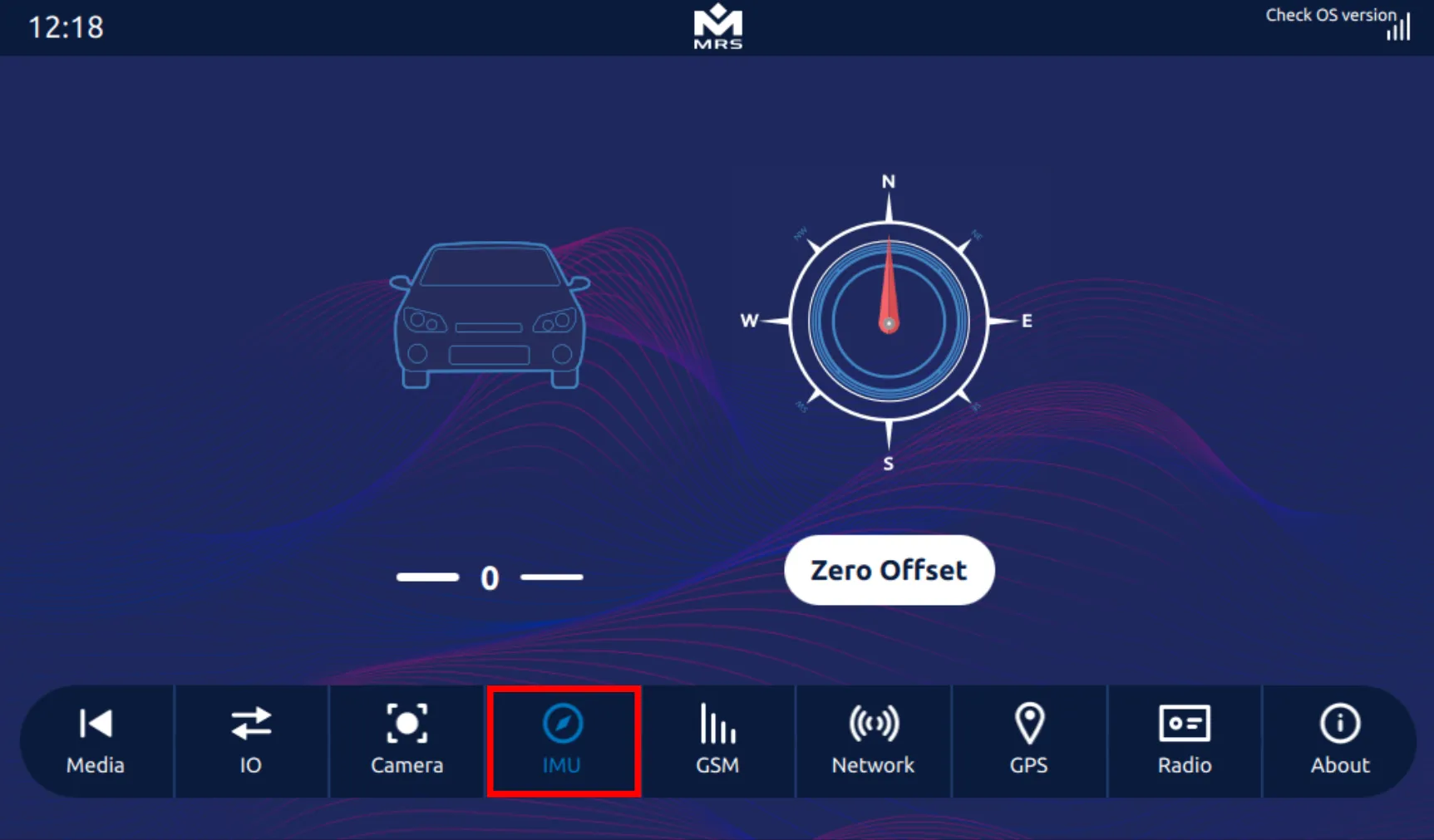
RTIMUSettings *settings = new RTIMUSettings("RTIMULib");RTIMU *imu = RTIMU::createIMU(settings);imu->IMUInit();imu->setSleepPower(0.02);imu->setGyroEnable(true);imu->setAccelEnable(true);imu->setCompassEnable(true);while (imu->IMURead()){ RTIMU_DATA imuData = imu->getIMUData();}To find the output of the IMU Sensor in the Reference App, navigate to the IMU tab:
Real-Time Cock (RTC)
Section titled “Real-Time Cock (RTC)”The Display has an integrated hardware RTC. The RTC keeps track of the current time when the display is not powered on and re-syncs with the Linux OS when the Display is powered on.
To set up the RTC, enter the following commands in the terminal:
$ date -s "2021-07-22 17:00:00"$ hwclock -w